A client portal template gives each client one link for the whole project: where the project stands, the launch date, the brief and the planning, what was decided, what you are waiting for from them, and where the next meeting happens. The Client portal template in Coommit adds one thing most portals do not have: the calls happen in the same room.
What should a client portal contain?
Clients open a portal for four reasons: to see where the project is, to find a document, to check what they owe you, and to join the next call. A good portal answers each in one glance. Everything else, like invoices and contracts, often lives better in your billing tool.
That is why this template is deliberately small. It is not trying to replace client portal software with permissions, file vaults and invoicing. If you need those, our guide to client portals versus shared client rooms explains when each is the right tool.
What is on the board
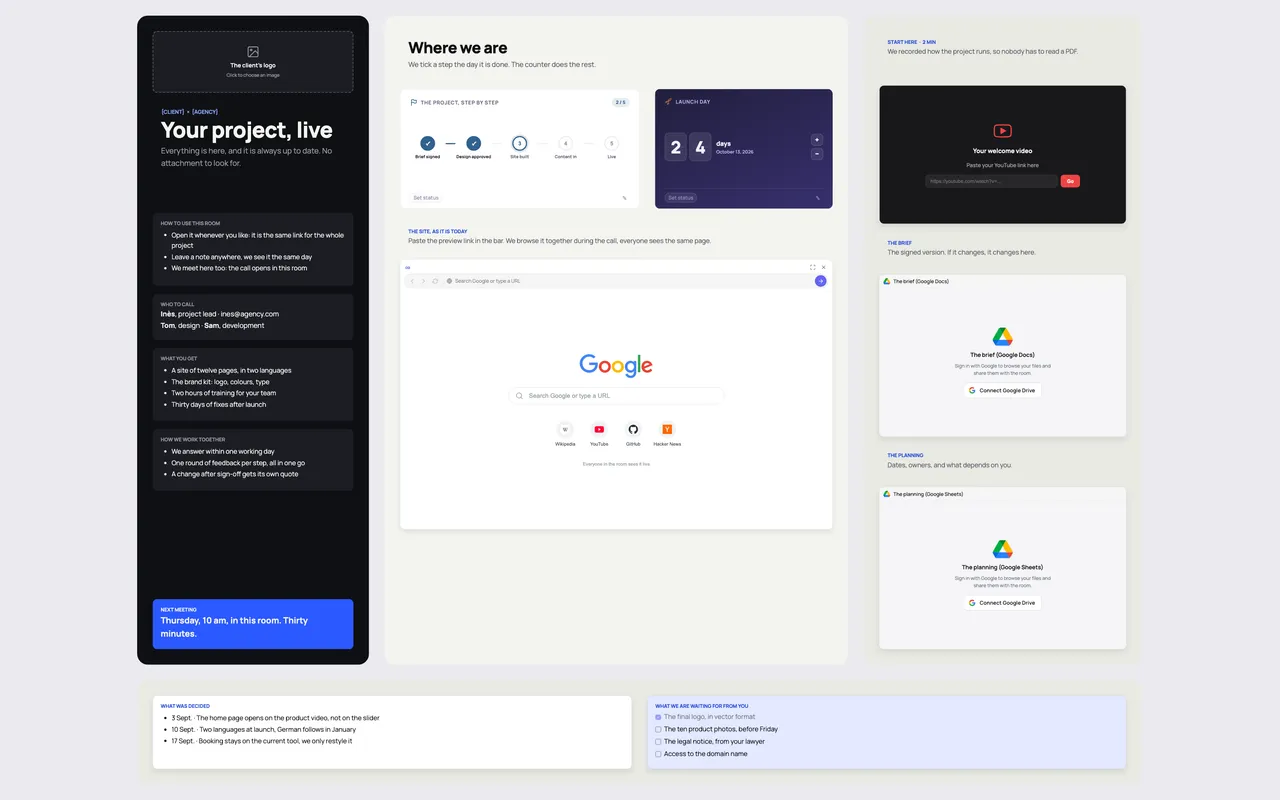
The template is one page per client, built around what the client needs to find:
- Your project, live. The client's logo and a line that sets the rule: everything is here, always up to date, no attachment to look for.
- How to use this room. It is the same link for the whole project; leave a note anywhere and it is seen the same day; the calls open in this room.
- Who to call. The project lead with contact details, and who handles design and development.
- What you get. The deliverables as agreed, for example twelve pages in two languages, a brand kit, two hours of training, thirty days of fixes.
- How we work together. Response time, one round of feedback per step, and the rule that a change after sign-off gets its own quote.
- Where we are. A milestone tracker you tick the day a step is done, and a countdown to launch day.
- The site, as it is today. A shared browser with the preview link, so you browse the real site together during the call.
- Start here. A slot for a short welcome video, so nobody has to read a PDF.
- The brief and the planning. Embedded from Google Drive: the signed brief and the planning sheet.
- What was decided. Dated decisions, one line each.
- What we are waiting for from you. The final logo, photos, legal notice, domain access.
- Next meeting. The day, the time, in this room.
How to set up a client portal room in ten minutes
- Create one room per client from the Client portal template and replace the placeholders: logo, names, deliverables.
- Embed the two documents clients ask for most, the signed brief and the planning, from Google Drive.
- Paste the staging link into the shared browser.
- Record a two-minute welcome video on how the project runs, upload it to YouTube (unlisted works) and paste the link into the video slot.
- Send one link and hold the kickoff call inside the room. From then on, every call, decision and file lands in the same place.
Tips that keep clients using it
- Hold every meeting in the portal. If the calls happen elsewhere, the portal becomes a document dump nobody opens.
- Write decisions the day they are made. A dated decision list ends most "I thought we agreed" conversations.
- Keep the "waiting for you" list short and specific. Clients act on a list of four items; they ignore a list of fifteen.
- Start with a structured kickoff. The client kickoff meeting template fills most of the portal in the first hour.
Running the portal in Coommit
Coommit is a shared workspace where teams meet on video around their docs, designs and websites. The room stays available after the call. The client joins from a link, with no account and no download, and finds the video call, the live site, the documents and the decisions in the same room. Milestones and the launch countdown are live widgets you update in one click.
After each call, the built-in AI writes a recap with the decisions and the tasks, saved in the room's history and sendable to Slack or Notion. The Client portal template is available when you create a new room. Pricing is on the pricing page: one plan, and clients join free as guests.